AccessiAI scans any page for WCAG 2.1 violations in seconds, helps you fix them with AI-powered reports, and improves readability for every user — right from your browser.
Follows standards set by
Six integrated tools in one browser extension — no logins, no subscriptions, no data leaving your machine. Available in English, Spanish, Portuguese, Chinese, and Japanese.
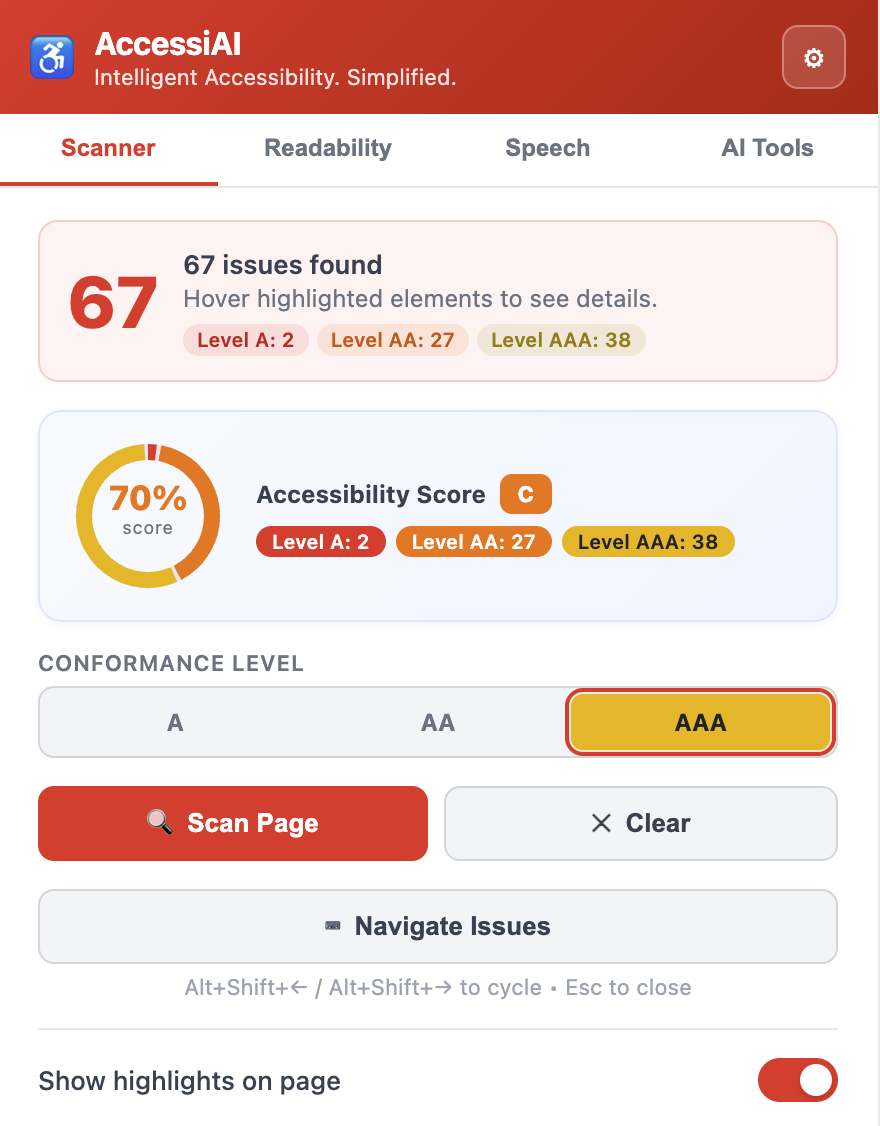
Checks 28 rules across WCAG 2.1 levels A, AA, and AAA on demand. Violations are highlighted directly on the page in colour-coded overlays — red for critical, orange for moderate, yellow for minor — with an issue navigator to step through every finding and a MutationObserver that auto-rescans SPAs on DOM changes.
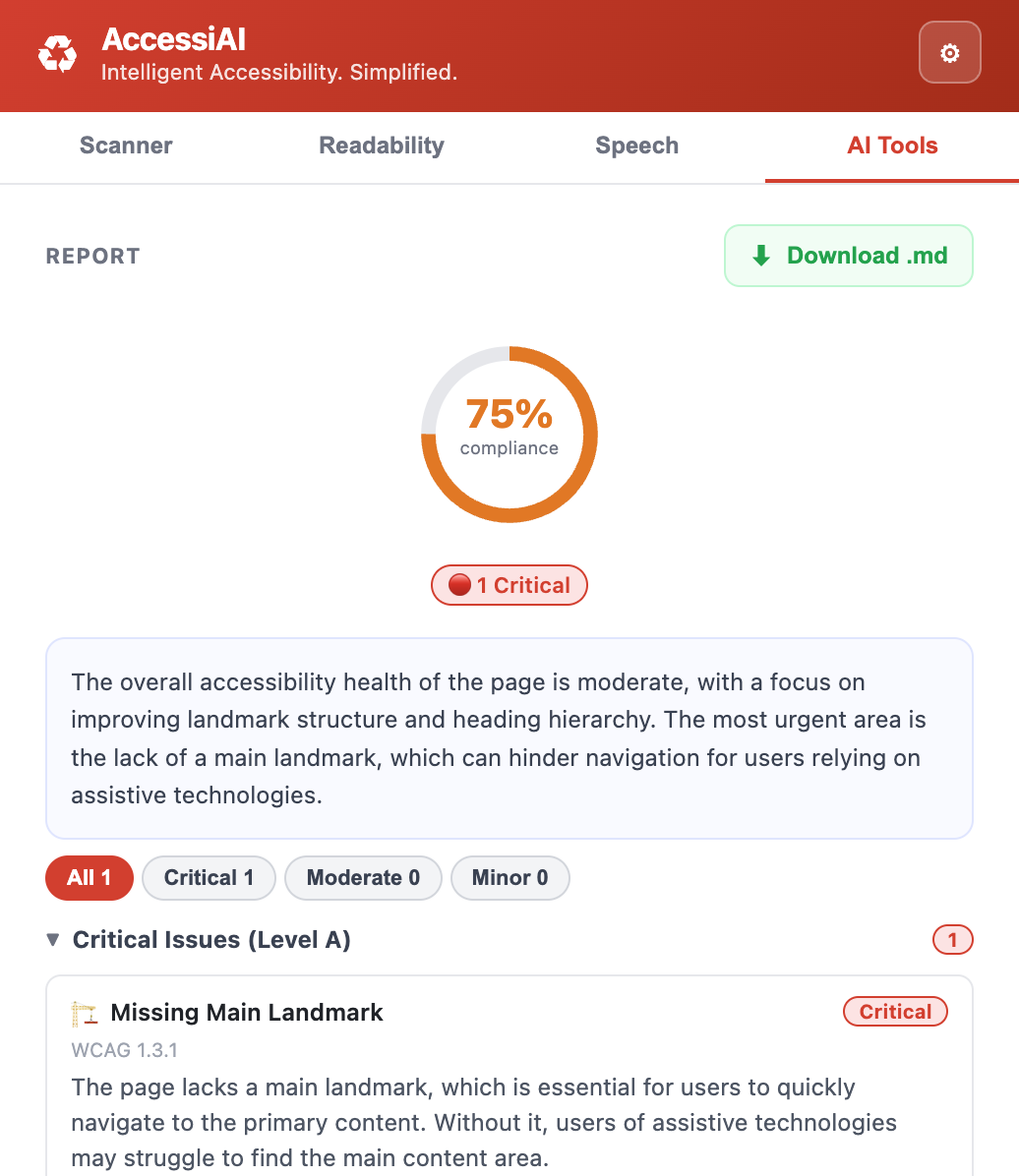
Send page structure and scan results to OpenAI, Anthropic Claude, or Google Gemini. Get back a professional 7-section Markdown report — executive summary, prioritised fixes, compliance estimate — ready to share with your team in seconds.
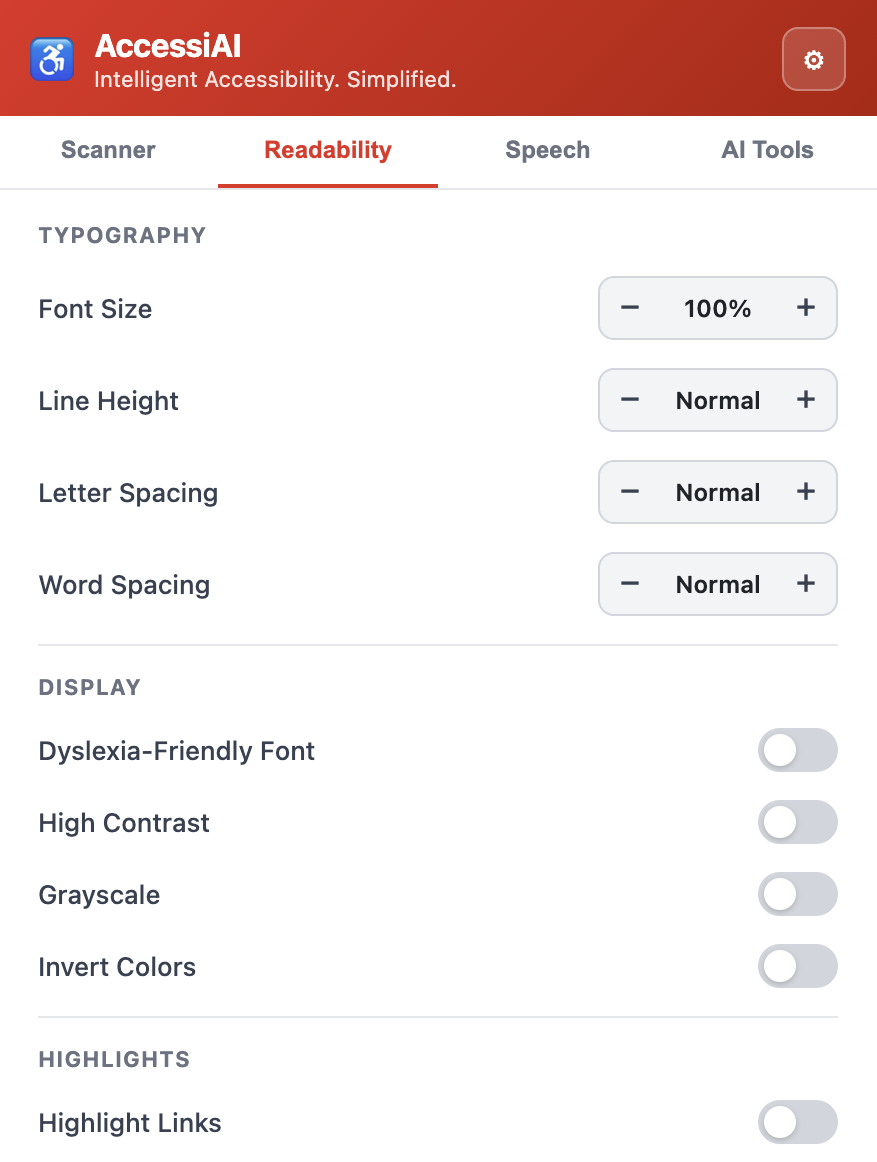
Live CSS overrides for font size (70–200%), line height, letter spacing, dyslexia font, high contrast, grayscale, and colour inversion — applied instantly, no reload needed.
Read full pages or selected text aloud using native browser speech synthesis. Adjust voice, rate (0.5×–3×), and pitch on the fly without any external service. TTS state persists so the popup reopens with the correct play/pause/stop labels.
Step through every flagged violation one by one using keyboard shortcuts. Each step scrolls the page and focuses the affected element — ideal for systematic remediation.
Export the full issue list — rule ID, WCAG level, element selector, description — to CSV or Excel. Drop it straight into a bug tracker or compliance report.
Pick any two colours on the page with an eyedropper and get an instant contrast ratio with WCAG pass/fail for normal text, large text, and UI components.
Visualise the tab order across the entire page as a numbered overlay, and detect focus traps, missing outlines, and elements unreachable by keyboard before users hit them.
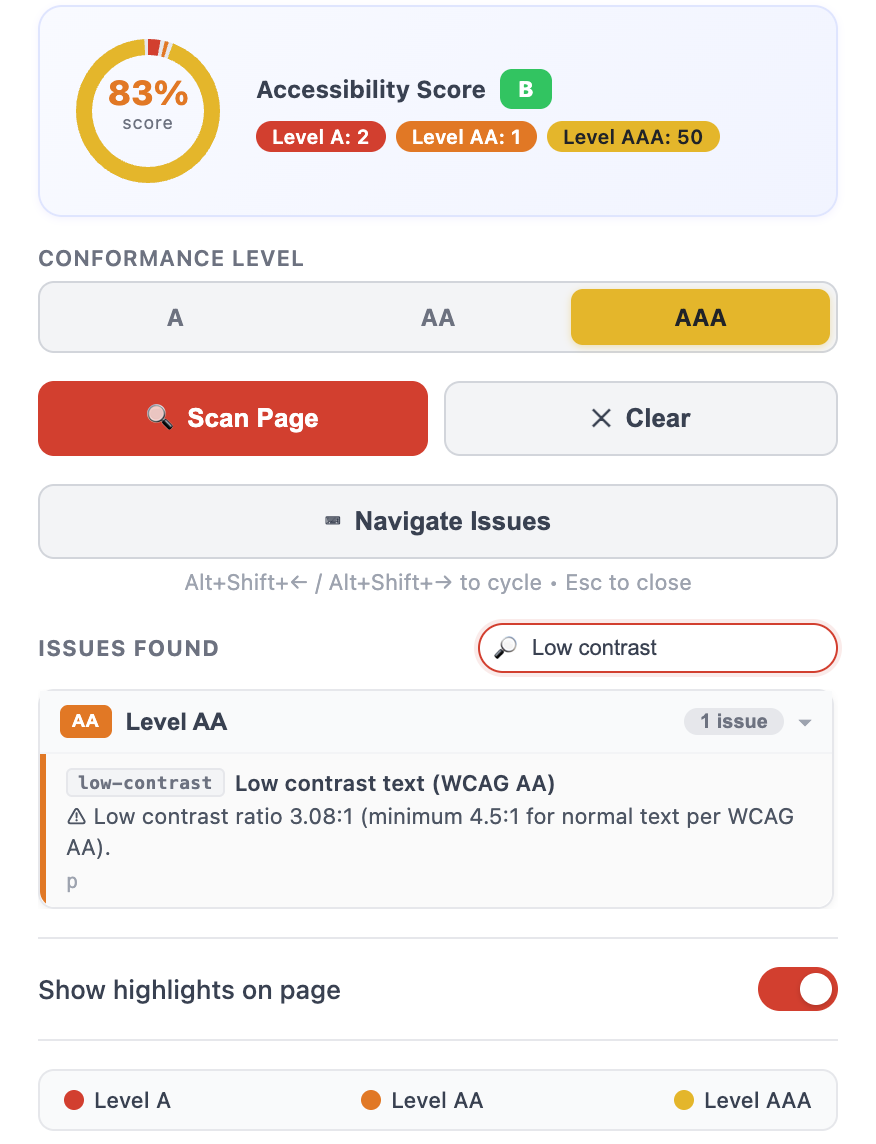
Instantly search across all scan results by keyword, rule ID, or selector. Filter down to a specific WCAG level or rule type to zero in on what matters without scrolling through every finding.
The extension interface is fully localised — switch between English, Spanish, Portuguese, Japanese, and Chinese without leaving the popup.
Smarter, context-aware suggestions powered by the latest models — auto-fix proposals, severity scoring, and one-click remediation hints directly in the popup.
A full-page dashboard with trend charts, per-rule breakdowns, and historical scan comparisons — track your site's accessibility score improving over time.
Expanding beyond WCAG 2.1 — ARIA authoring practices, WCAG 2.2 checks, mobile touch-target audits, and animated content motion detectors are on the roadmap.
AccessiAI injects only when you ask — zero background tracking, zero performance impact.
Click the AccessiAI icon in your toolbar while viewing any webpage you want to audit.
The scanner runs all WCAG checks, highlights violations directly on the page, and shows a count badge.
Review issues in the popup, navigate between them, run AI analysis, and export results to CSV or Excel.
The scanner checks the live DOM — not source code — so it catches issues that only appear after JavaScript runs. Results update automatically as the page changes.
Increase font size, open up line spacing, load the OpenDyslexic font, switch to high-contrast mode, or invert colours — all without touching the page's code.
With 28 rules running across potentially hundreds of elements, pinpointing a specific issue should be instant. The built-in search and filter panel lets you cut straight to the findings that matter.
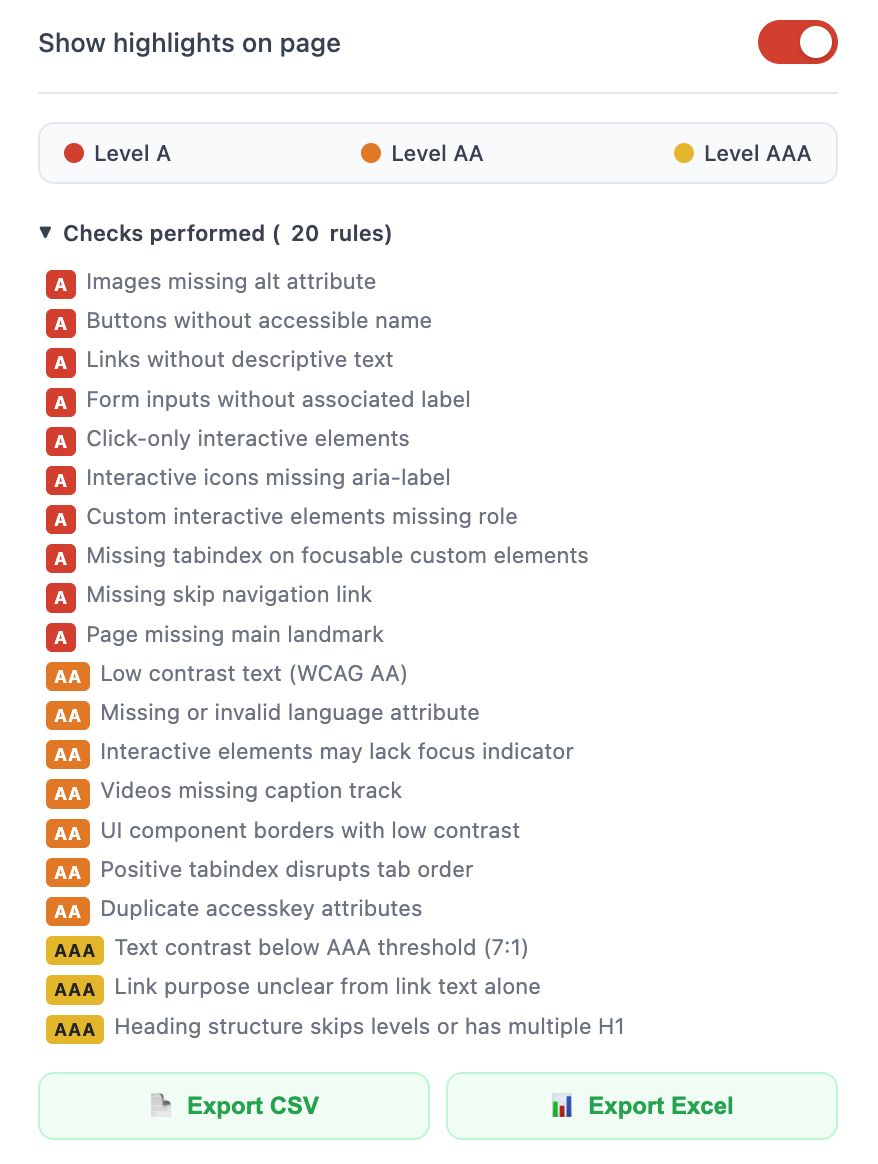
Rules are organised by WCAG 2.1 conformance level and colour-coded in the UI for at-a-glance severity.
Images missing or empty alt attribute
Buttons / role="button" with no accessible name
Links with empty or vague text ("click here", "more")
SC 2.4.4 — link-nameForm inputs with no label, aria-label, or title
SC 3.3.2 — input-labelClick-only elements missing keyboard access
SC 2.1.1 — click-keyboardIcon-only interactive elements with no accessible label
SC 4.1.2 — icon-ariaFocusable divs/spans missing a semantic role
Interactive ARIA roles with no reachable tabindex
SC 2.1.1 — tabindex-requiredMissing "skip to main content" anchor link
SC 2.4.1 — skip-linkPage has no <main> or role="main" landmark
Page <title> is missing or empty
<iframe> elements missing a title attribute
Images used as links with empty or missing alt text
SC 1.1.1 — img-link-alt<select> elements without an associated label
Data tables missing header cells (<th>) or scope
Form error messages not programmatically associated with inputs
SC 3.3.1 — error-identificationText contrast below 4.5:1 (normal) or 3:1 (large)
SC 1.4.3 — low-contrastMissing or invalid lang attribute (BCP 47)
Interactive elements with outline:none and no fallback
Videos with no captions or subtitles track
SC 1.2.2 — video-captionsForm control borders below 3:1 contrast
SC 1.4.11 — non-text-contrastElements with positive tabindex disrupting tab order
SC 2.4.3 — positive-tabindexText passing AA but below 7:1 enhanced contrast
SC 1.4.6 — enhanced-contrastLinks with no meaningful word in accessible name
SC 2.4.9 — link-purpose-contextSkipped heading levels (h1→h3) or multiple h1 elements
SC 2.4.10 — heading-hierarchyLine length exceeds 80 characters (measure too wide)
SC 1.4.8 — line-lengthInsufficient text spacing — line-height <1.5 or letter-spacing <0.12em
SC 1.4.12 — text-spacingElements that flash more than 3 times per second
SC 2.3.2 — three-flashes
AccessiAI bundles page structure, scan results, and WCAG context into a single prompt — then returns a professional 7-section report you can share directly with your team.
Works with your existing API key:
Free forever. No account. No data sent anywhere without your explicit action.
Manifest V3 · Chrome 88+ · No background permissions